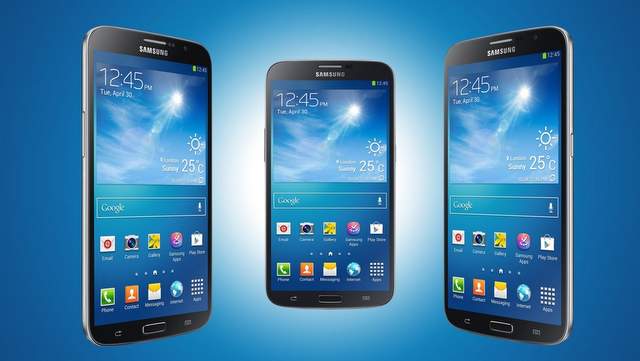
Samsung is rolling out Android 4.4.2 KitKat update for AT&T Galaxy Mega smartphones. This update will upgrade software on Galaxy Mega from Jelly bean 4.2.2 to KitKat 4.4.2. This is huge as KitKat will bring tons of new features.
Android KitKat will bring a cleaner look, solve power consumption issue, support wireless printing and host card emulation for using Google Wallet.
Here is the complete list of new features and improvements
- New platform support for secure NFC-based transactions through Host Card Emulation (HCE),
- You can add printing support to your apps or develop print services to support specific types of printers.
- A new storage access framework makes it simple for users to browse and open documents, images, and other files across all of their their preferred document storage providers
- The new provider and semantics help to improve the user’s experience when multiple messaging apps are installed, and they help you to build new messaging features with fully-supported, forward-compatible APIs
- Full-screen Immersive mode
- System-wide settings for closed captioning : Settings > Accessibility > Google subtitles (CC) and Samsung subtitles (CC)
- On-device memory status and profiling : Settings > Developer options > Process stats
- Beat Music pre loaded
- ISIS Wallet pre loaded
- Default value for Air view is set as OFF
- AT&T Drive Mode is changed to Drive Mode
- On-device memory status and profiling : Settings > Developer options > Process stats
- If you tap 7 times on “Settings > More > About Device > Build number”, Developer options menu activates
- Camera shortcut in Lock screen added
- Unified Location Menu: Settings > More > Location Location Settings is same as Location service in JB. User can set the Locating method and check the recent location requests.
- User can set preferred network & Automatic in security policy update Setting > more > Security > Security update service
- Set the device to send security reports automatically when the device is connected to a Wi-Fi network.
- Security policy updates
- Automatic updates : Set the device to check and download security updates automatically.
- Preferred networks : Select a network connection option to check and download security updates automatically.
- Check for updates : Check for security updates. (manual updates)
- Home and Message app can select as default Setting > more > Default applications > set defaults Setting > Connections > More networks > Default Messaging app
- If you select default home as Touchwiz easy home in Setting > more > Default applications > set defaults, you can see the following screens. For this option, only home launcher is changed. (Applications remain same)
- If you want to set as easy home launcher plus easy mode apps, go to Settings->My Device->Homescreen mode and select Easy mode. This will change all supported applications to easy mode. (Phone, Message, etc)
- GMS apps update (GMS 4.4.2_r2).
- Wireless Printing is added. You can add printing support to your apps or develop print services to support specific types of printers. Apps > Settings > Connections > More networks > Printing
- Video player closed captioning Settings > My device > Accessibility > Google subtitles (CC) and Samsung subtitles (CC)
- If HCE apps or OffHostapp(ex ISIS wallet) installs in HCE supporting device, Tap and pay in NFC menu is listed and user can set default wallet. Please refer to URL ( http://developer.android.com/about/versions/kitkat.html#44-hce)
- Can be set sound for Samsung apps (call/message/email/calendar) Setting > my Device > Sound > Samsung applications
- As compared with JB4.2, delete menus in Apps Apps > menu key > menu – “Play Store”, “Downloaded application”,”Share apps”
- “Number” based sync changed to “Day” based sync for IMAP account : Email > Sign-in > Menu -> Settings -> Account settings -> Select account -> Sync settings -> Period to sync Email
To update AT&T Galaxy Mega either wait for the notification or head to Settings > More > About device > Software update and check for a new update.