

If you want to root Galaxy S5 smartphone (including AT&T and Verizon) use the following simple procedure. This will root your phone in less than 1 minute.
This rooting app called Towelroot is developed by Geohot who is famous for his unique techniques to root phones. Geohot was also the first hacker to jailbreak the original iPhone and also unlocked the PlayStation 3.
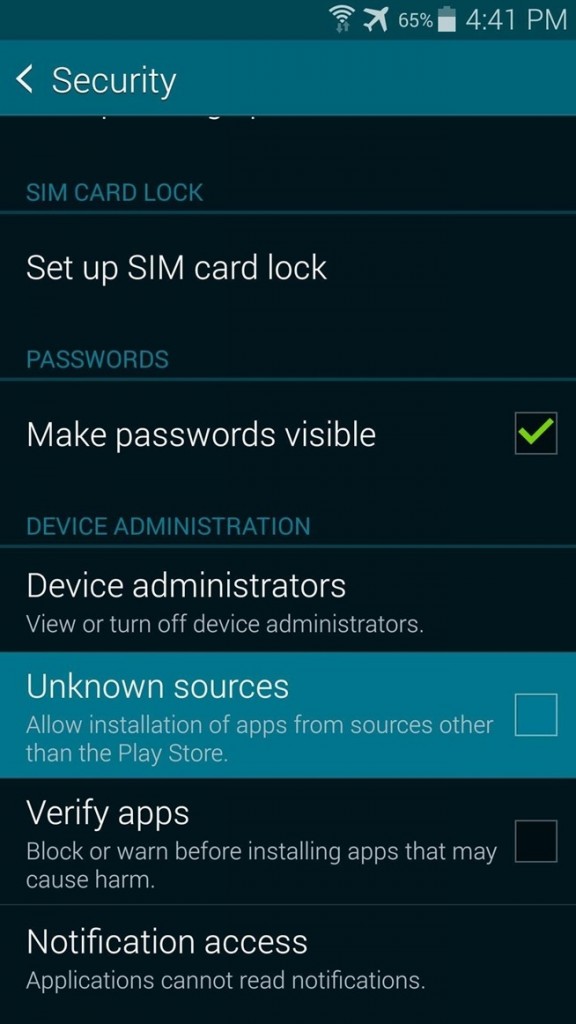
Step # 1 - Enable Unknown Sources (Security Menu)
Since Towelroot is not available in Google Play store, you need to provide access to download and install apps from web. This can be done by going to System >> Security >> Unknown Sources and press OK.
Step # 2 - Download Towelroot
Go to Towelroot website, Towelroot.com and download the APK just by clicking (tapping) the lambda symbol.
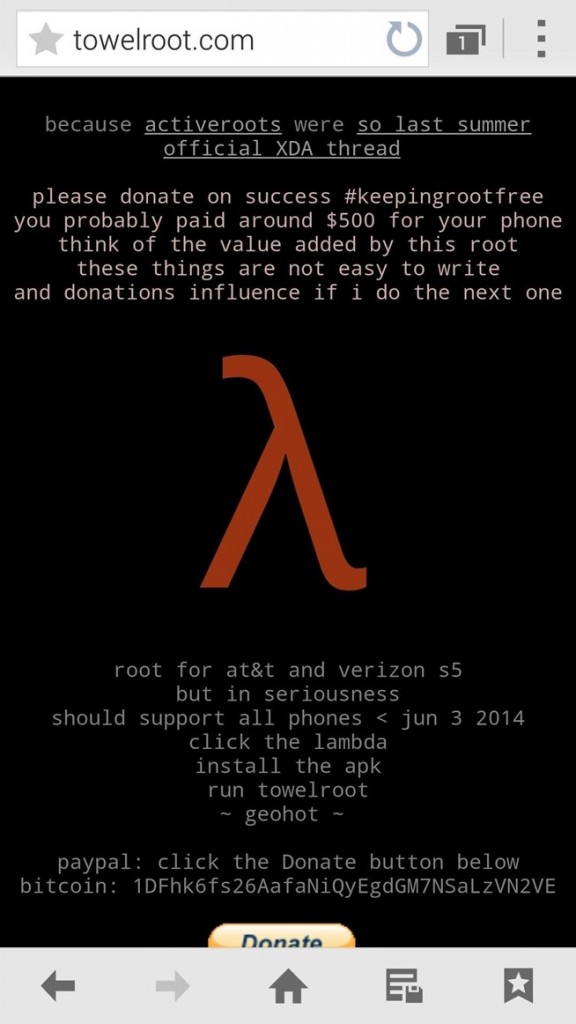
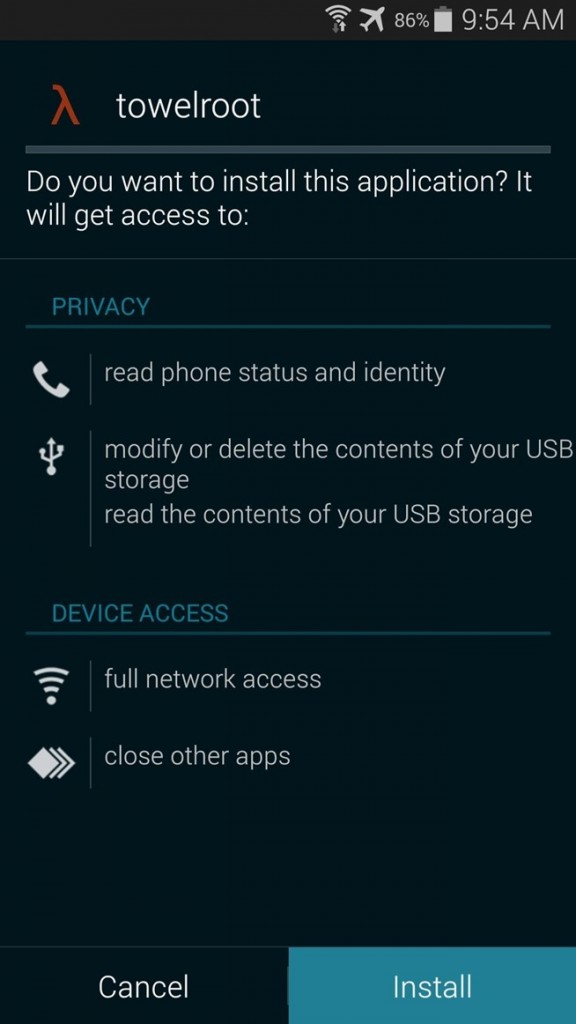
When download is finished install the APK.
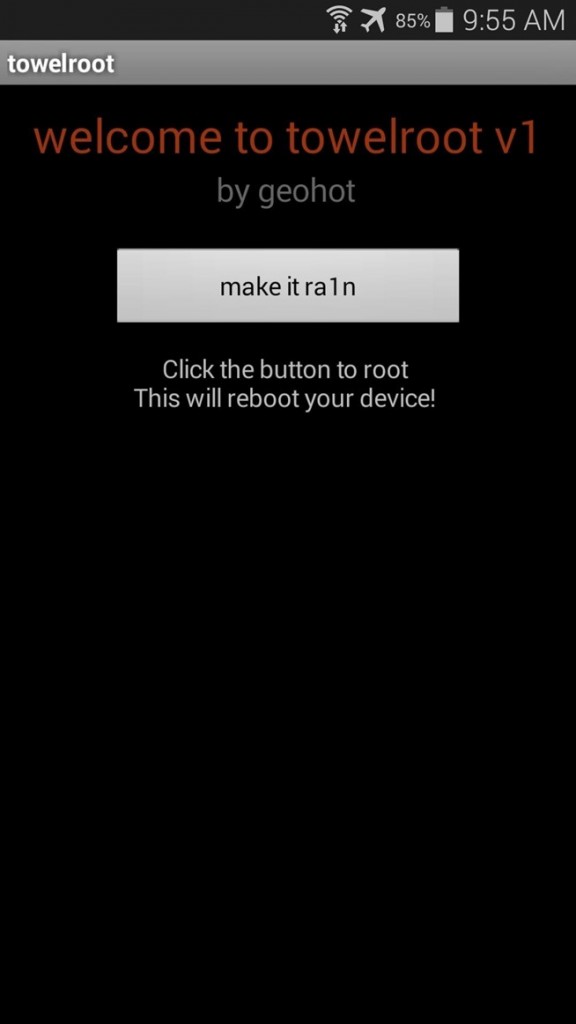
Step # 3 Root Your Galaxy S5
After installation is over open the Towelroot app. Just tap on the button called “make it rain”. Thats it, just wait for a moment and your phone will reboot. After the reboot your phone is now rooted.
Step # 4 Check your root access (Optional Step)
You can check if your phone is rooted or not using Root Checker app, which you can download from Google Play store.
Still confused check the video to clear things up.


Pingback: Easy Steps to Setup Mobile Hotspot on Galaxy S5 | Samsung Rumors()
Pingback: Galaxy S5 Getting New Update in Europe - No Android 4.4.3 or 4.4.4 | Samsung Rumors()