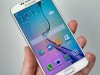
The Google Drive is a great place in which users can easily store needed files and documents and the Samsung Galaxy S6 and S6 Edge continue to get the best of Google cloud storage access.
So with the S6 and S6 Edge users will definitely want to make sure that their files are saved with Google Drive and are also accessible and within reach.
So the first thing that the Galaxy S6 and S6 Edge users need to do is that they need to log in with their Google account and connect to Google services which includes Google Drive.
In order to achieve Google Drive file integration and bring the Google Drive files to their new Samsung Device the users need to only perform a few simple steps.
First of all the users need to select cloud storage from the ‘My Files’ menu and then they need to connect to Google Drive over the Wi-Fi or 3G/4G/LTE according to their preference.
Many of you would be familiar with Google Drive and so you would know about the message that it will present if you use your internet data to connect.
The message reads “Connecting to a mobile network may result in additional charges depending on your payment plan”, so after this appears just proceed with selecting ‘ok’.
After this the users will get to choose the account whose files they will like to access on their S6 or S6 Edge. Once you have selected the account just click ‘ok’.
This will come to the end of the procedure and the Google Drive file integration will be completed. So the users will finally find their Microsoft Word documents.